
How it works
How Missed Call Text Back Works
Missed call text back looks like one small feature, but it depends on several moving parts: where your calls ring, how long they ring, which number sends the text and what happens when the caller replies. Getting these right is the difference between a helpful text and a confusing one.
This page explains each part in plain English. For the big picture, start with our missed call text back guide. For the rules you need to follow, see the A2P 10DLC and compliance guide.
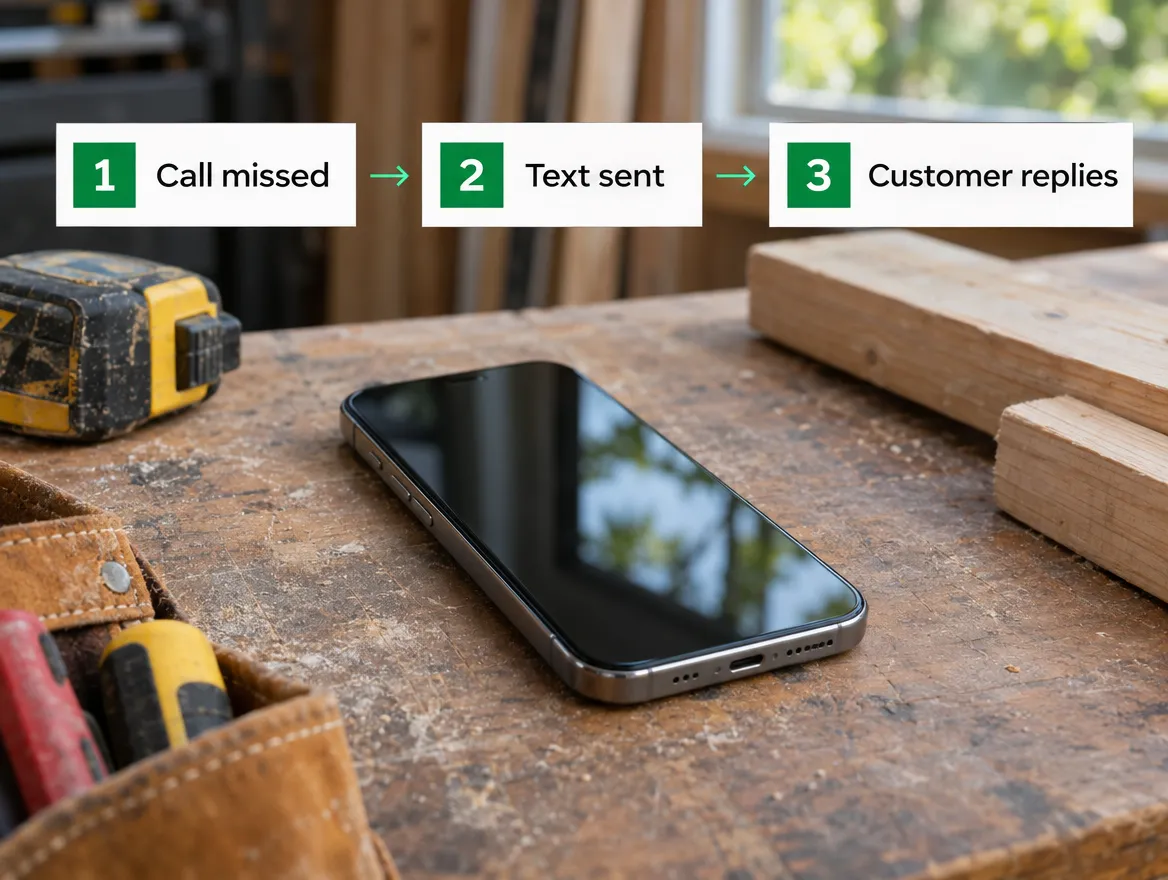
What happens, step by step, when a call is missed?
A call comes in to your business number, rings for a set time, and ends without anyone answering. The phone system logs it as missed and sends your saved text from a number that is allowed to text. The caller’s reply arrives in your inbox, and you carry on by text or call back.
Under the hood, the system is reacting to a call status. Every inbound call ends with a result, such as answered, busy, no answer or sent to voicemail. Missed call text back listens for the “not answered” outcomes and fires a message.
The sequence usually looks like this:
- Call arrives. The customer dials the number listed on your website, Google Business Profile or truck.
- The ring timeout runs. The system rings your phones, app or team for the number of seconds you set.
- Nobody answers. The call goes to voicemail or ends.
- The text goes out. Your message is sent to the caller’s number.
- The reply comes back. It lands in the same conversation thread as the missed call, so your team sees the full history.
In GoHighLevel, HighLevel’s Missed Call Text Back help article says answered calls never trigger the text, and that the contact’s do-not-disturb and communication preferences are respected.
Why does the ring timeout matter so much?
The ring timeout decides when a call counts as missed. Too short, and you text people whose calls you would have picked up. Too long, and callers hang up before the text arrives, which defeats the point. HighLevel suggests a timeout of 10 to 20 seconds for most businesses.
Think about how your team actually answers. If the office manager usually picks up on the fourth or fifth ring, a 10-second timeout may be too tight. If calls ring a technician’s cell while they are driving, a shorter timeout gets the text out sooner.
Test it. Call your own number from a personal cell and count how long it takes before you would give up. Then call again and let it ring out to see how quickly the text arrives.
Which phone number sends the text?
The text is sent from a business number that is registered for texting. Ideally that is the number the customer called, so the conversation stays on one number. If that number cannot send texts, some systems fall back to another number on your account, which can confuse callers who do not recognize it.
HighLevel documents its order of preference. It first tries the number the caller dialed, if it can send SMS. If not, it uses a number you have already texted that contact from, then your default outbound number, then any other eligible number in the sub-account. That is helpful, but it means a customer could call one number and get a text from another.
The fix is simple: make sure the number you advertise is text-enabled and linked to an approved A2P 10DLC campaign. If it is a toll-free number, it needs toll-free verification before it can text.
Do calls have to come through the platform?
Yes. Software can only text back a call it knows about. If your main line stays with a traditional phone company and your texting tool sits on the side, the tool never sees the missed call. You need a number inside the platform, your number moved into it, or calls routed through it.
There are three common approaches:
- Use a new number from the platform. Easy, but you have to update your listings and vehicles, and some older customers will keep calling the old number.
- Move your existing number. Porting transfers your number to the new carrier. HighLevel’s porting article covers the paperwork, such as a signed letter of authorization and a recent bill. Keep your old service active until the port finishes.
- Route calls through the platform. Some businesses set their old line to forward calls to the platform number. Check with your current phone company that forwarding works the way you need.
HighLevel also offers number hosting, which keeps your number with your current carrier and routes only texting through HighLevel. HighLevel describes hosting as the choice when voice should stay with the existing carrier, so make sure missed calls will actually reach the platform before you rely on it for this feature.
What happens with repeat callers?
Many systems send a text for every missed call. If someone calls three times in five minutes, they may get three identical texts, which looks careless. You can usually add a wait or a filter so each person gets one text in a given window, but this takes extra setup.
HighLevel’s help article says this plainly: every missed call triggers a message, including repeat calls in a short window. It points to customizing the related workflow, for example with a wait step or tags, to cut duplicates. That is a reasonable fix, but it also means you are moving from a simple setting into automation you have to maintain.
How should it behave after hours?
After hours, the text should set honest expectations. Tell callers when you will reply, and give an emergency option if you offer one. Do not promise a callback in minutes if nobody is working. Some businesses use a separate after-hours message; others keep one message that works at any time.
Ideas that work:
- Mention your hours: “We are closed now and will reply after 8 am.”
- Offer a path for urgent problems if you run an on-call service.
- Ask a question that makes the reply useful: “What can we help with?” or “What is the address for the job?”
If your tool cannot change the message by time of day, write one message that is true around the clock. See missed call text back message examples for after-hours versions.
Where do the replies go, and who answers them?
Replies land in the tool’s shared inbox and, usually, its mobile app. That is the part businesses forget. If nobody is notified, a caller who replied “my water heater is leaking” can sit unanswered for hours. Decide who owns the inbox, how they are alerted, and how fast you aim to answer.
A few practical choices:
- Turn on push notifications for whoever handles new leads.
- Decide what happens when that person is busy or off.
- Keep the reply human. Automated replies after the first text can feel robotic unless they are clearly useful.
Some platforms can now hand the conversation to an AI assistant. HighLevel offers Conversation AI for text chats and Voice AI for answering calls, as described in its after-hours lead capture article. These can help, but they need careful setup and review so they do not give wrong answers.
Does it work for every caller?
No. It only works for callers on phones that can receive texts. Landline callers will not see your message, and some people block texts from unknown numbers. Callers who replied STOP in the past should not get texts. Treat missed call text back as a safety net, not a guarantee.
It also does not replace voicemail. Some callers still leave a message, and you should check voicemail alongside your text inbox.
What does it cost to run?
You pay for the software, a phone number, each text segment sent and received, carrier fees and A2P registration. For one business the per-text cost is small, usually around a cent per message on published rates, while the subscription and registration fees are the larger part.
See the missed call text back cost breakdown for exact rates from GoHighLevel, Quo and Twilio as of November 2026.
Affiliate note: if you choose GoHighLevel through our link we may earn a commission. See our affiliate disclosure.
Turn missed calls into conversations.
Start the free trial, set things up with your own data, and cancel before it ends if it isn’t right for you.
Affiliate link. See our disclosure.
FAQ